Git aliases and settings that dramatically improve development efficiency
This article is for Day 23 of the YAMAP Engineer Advent Calendar 2021.
I use git in the terminal every day. I often spend time on small git operations — switching between many branches while doing development and reviews in parallel, for example. After setting up various git aliases to make things more efficient, things improved a lot. Here is a summary.
git switch-pr
Problem
When switching to a branch to review a PR, I often did: "copy the branch name from GitHub, paste it into the terminal..." This was annoying when doing 3 or 4+ PR reviews a day.
Improvement
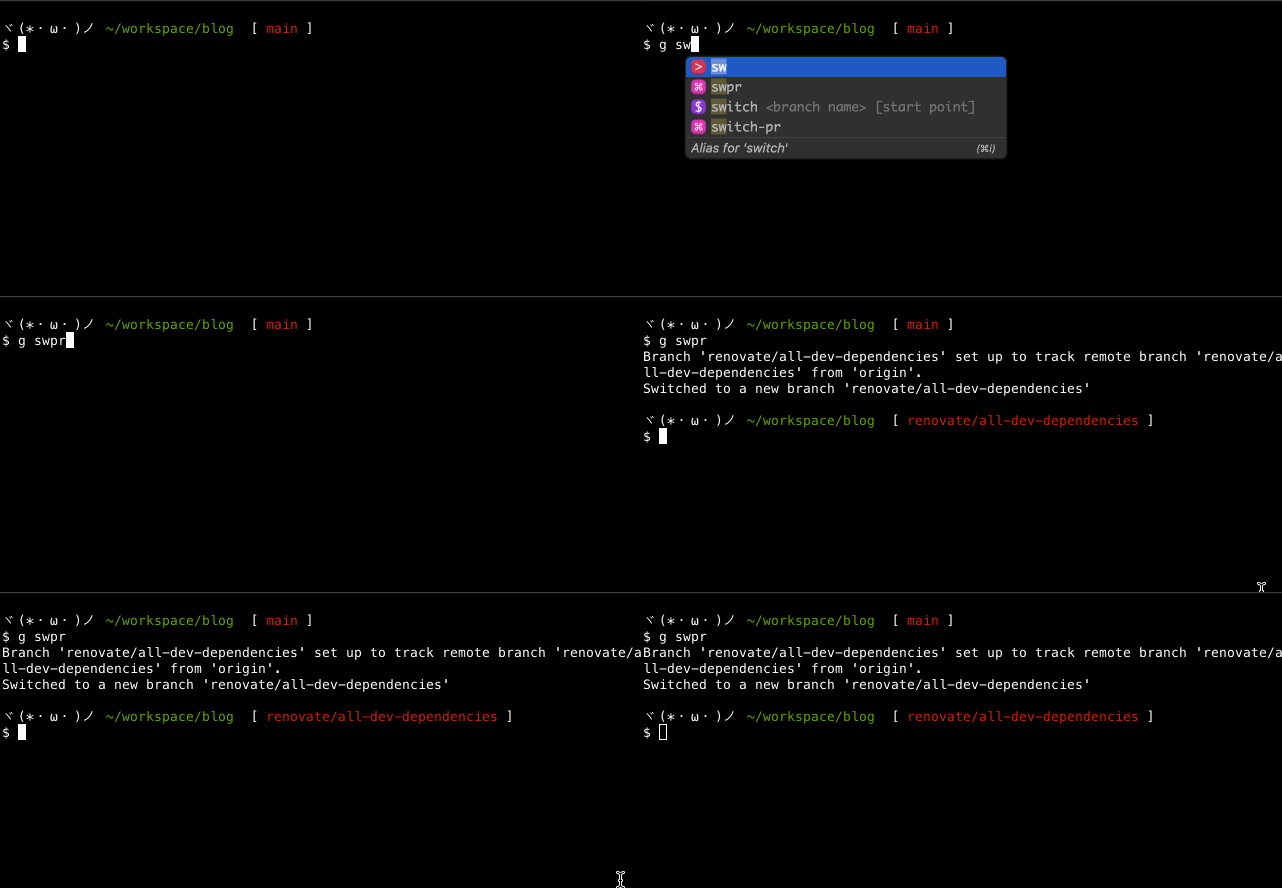
git switch-pr is an alias that switches branches by selecting from a list of pull requests in the remote repository.
This removes the need to copy and paste branch names, making PR reviews much more comfortable!
I use GitHub CLI to get the list of pull requests.
I created switch-pr as the main alias for clarity, and then set swpr as a shorter alias for it.
// ~/.gitconfig
[alias]
  switch-pr = !gh pr list | awk '{print $(NF-1)}' | peco | xargs git switch
  swpr = switch-pr
git history
Problem
When working on a feature branch while doing PR reviews, I sometimes switch between 3 or 4 branches a day.
Switching between multiple branches requires remembering branch names, which is annoying.
Especially when branch names include ticket numbers, typing becomes even harder.
Improvement
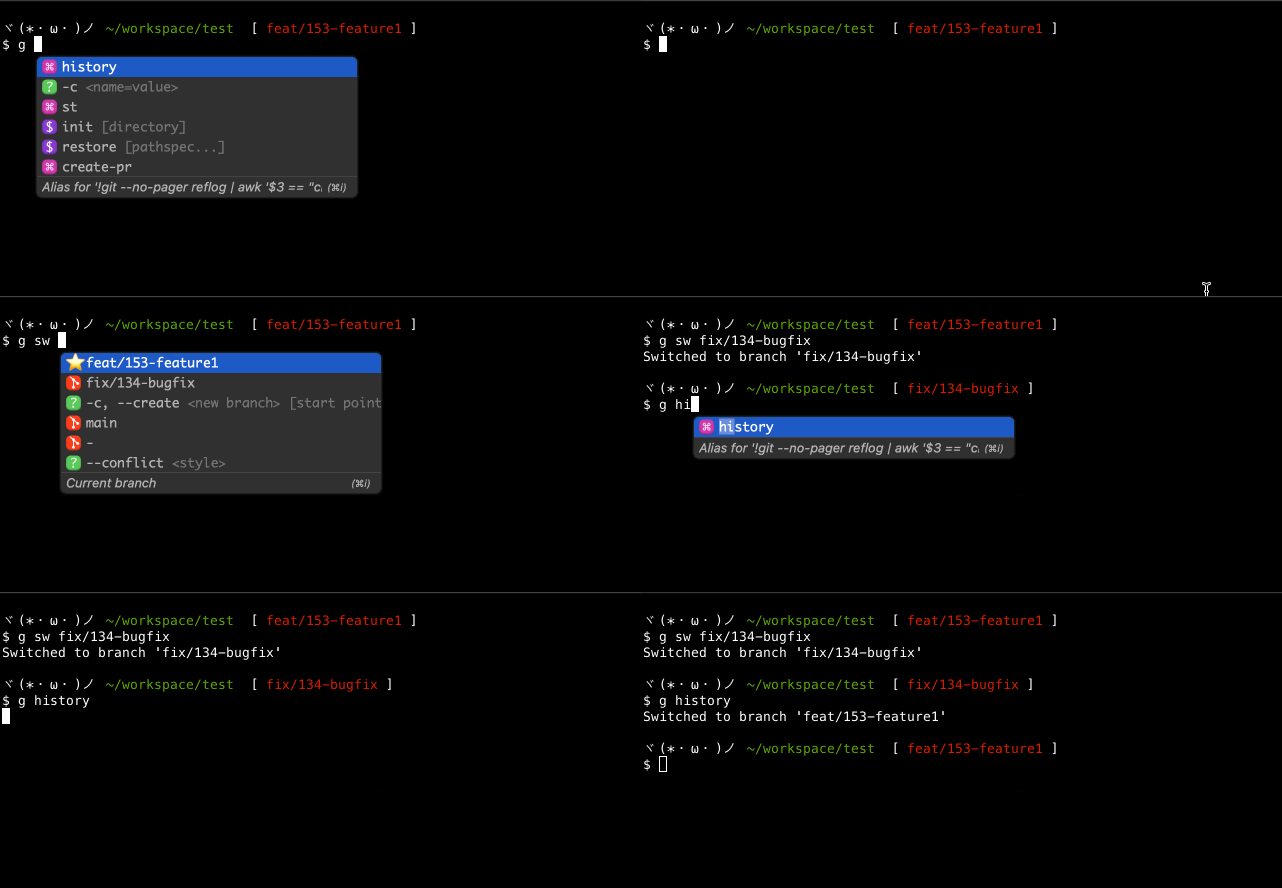
git history is an alias that lets you select from a list of recently visited branches and switch to one.
Using peco to select from the list makes it easy to switch without remembering branch names.
// ~/.gitconfig
[alias]
  history = !git --no-pager reflog | awk '$3 == \"checkout:\" && /moving from/ {print $8}' | awk '!a[$0]++' | head | peco | xargs git checkout
push.default current
Problem
When pushing a branch for the first time, I had to type git push origin feat/123-feature1.
This was needed because there was no upstream branch linked.
Improvement
The behavior of git push without arguments is controlled by push.default. Setting push.default current makes git push to a remote branch with the same name as the current branch.
With this setting, even the first push only needs git push.
$ g config --global push.default current

~/.gitconfig
[push]
	default = current
git create-pr
Problem
When creating a pull request on GitHub, the terminal shows a URL to create the PR on the first push. But on subsequent pushes, this URL is not shown and you have to go to GitHub to create the PR.
I already found clicking that URL once annoying, so having to click through several steps on GitHub was even more bothersome.
Improvement
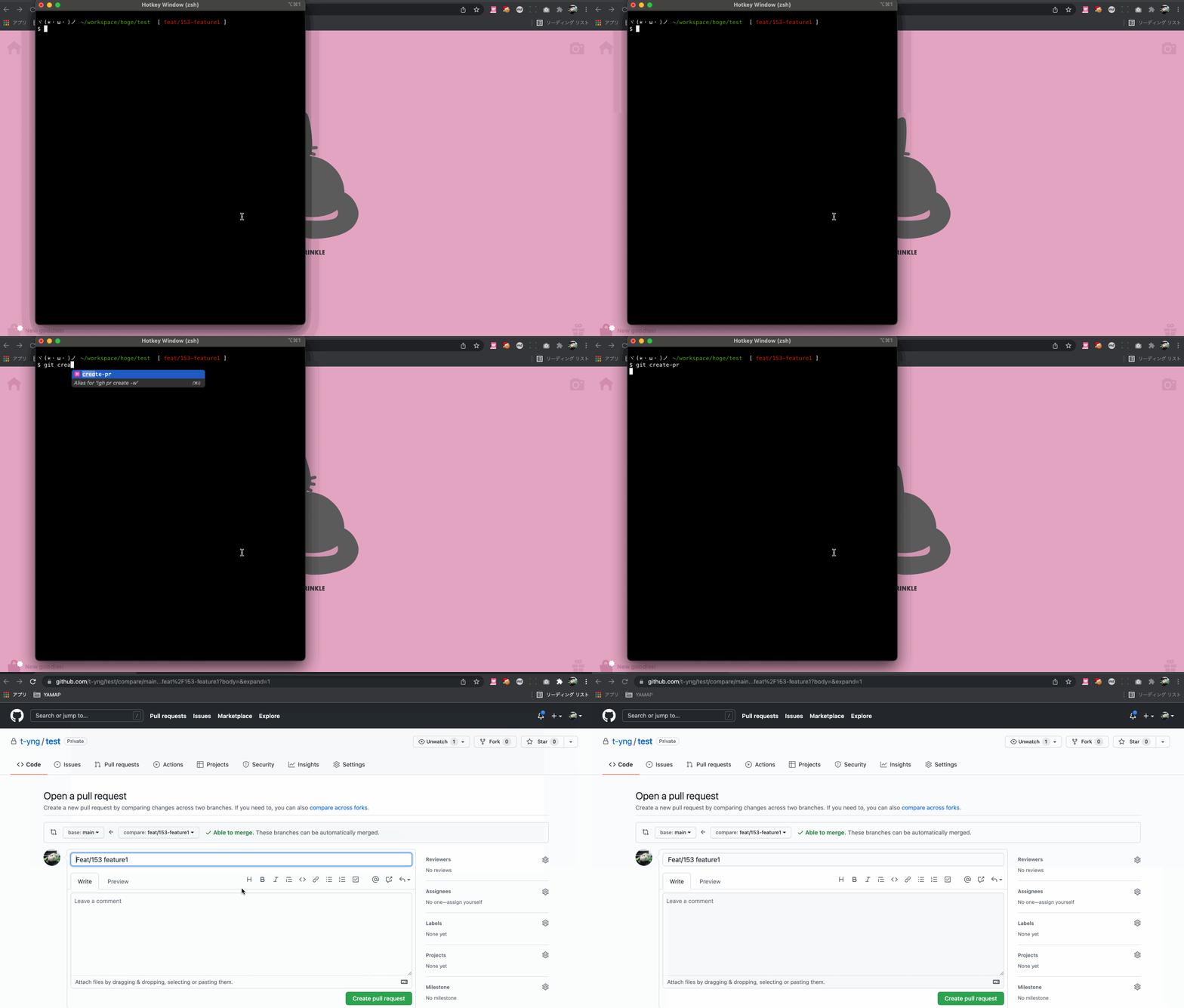
git create-pr is an alias that opens the GitHub page for creating a PR for the current branch in the browser.
A single command in the terminal gets you ready to create a PR. Very convenient.
The implementation just registers a GitHub CLI command as an alias — nothing complex.
~/.gitconfig
[alias]
  create-pr = !gh pr create --web
git open-pr
Problem
When checking code locally during a code review, or after fixing issues pointed out in a review, it can be annoying to navigate back to the PR on GitHub through the browser.
Improvement
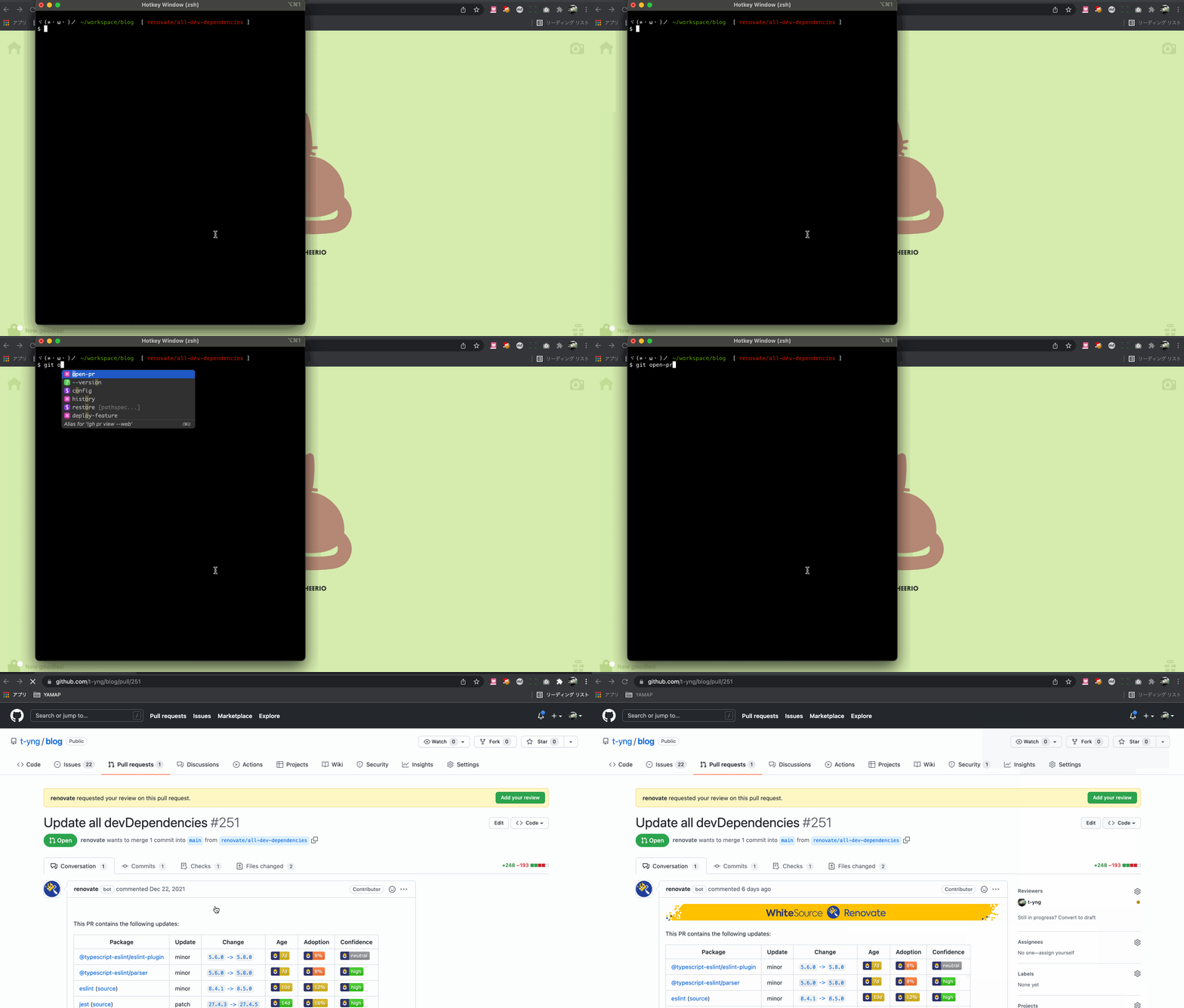
git open-pr is an alias that opens the PR for the current branch in the browser.
This also just registers a GitHub CLI command as an alias.
~/.gitconfig
[alias]
  open-pr = !gh pr view --web