Debugging elements that only show when focused in React with Chrome DevTools
I got stuck debugging a popup that only shows when an element is focused in React. Here is the solution.
The problem
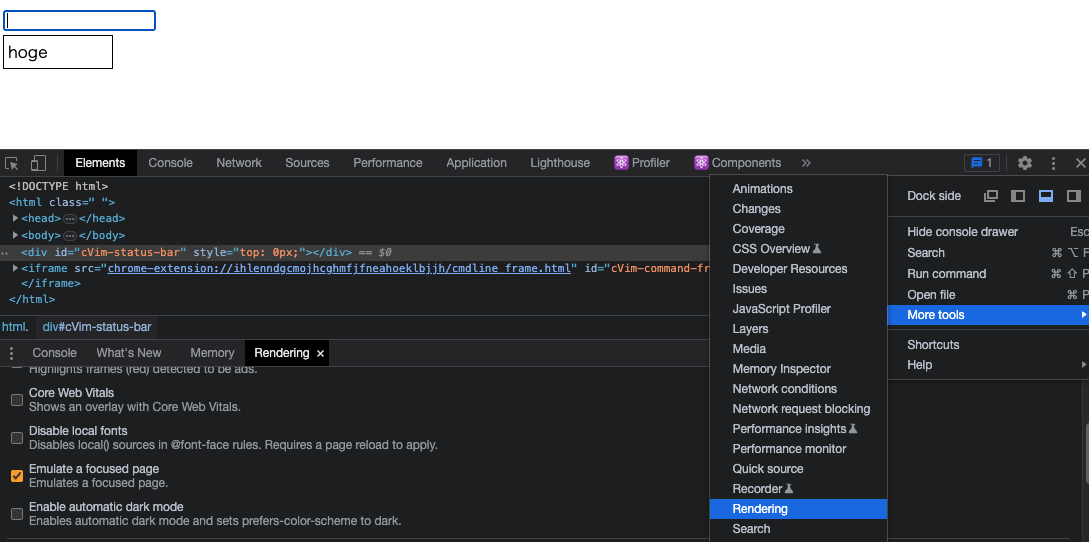
Consider a situation where you want to debug the CSS of a popup that only shows when an input element is focused, like this:
When the popup is visible and you click on a DOM element in DevTools, the focus moves away and the popup disappears.
In React, DOM elements are often not rendered when a certain state is inactive. In this case, the popup's DOM element disappears from the DOM tree, making it impossible to check the CSS.
Enable "Emulate a focused page"
You can fix this problem by enabling More tools > Rendering > Emulate a focused page.
With this setting enabled, the entire page stays in a focused state. So even when you click in DevTools, the popup remains visible and you can debug it.